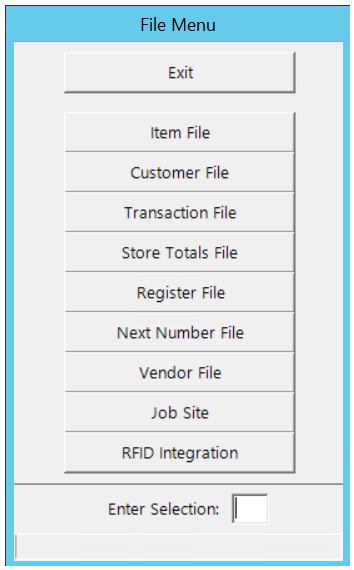
File Maintenance
Allows you to inquire, modify, add or delete records, in the major database files that are part of the POINT OF RENTAL system. Depending on how your store owner has set the Data File Security Options, you may not be permitted to perform all of these functions on all database files. First you will be asked to enter the password. If you don't not know the password, just enter a ENTER. You will still be permitted to perform any functions that may be allowed with a valid password.
Inventory Selection Screen:
If you select the item, customer or transaction file, you will be asked for the search key for the particular record you want. If the record is fund, all pertinent data will be displayed about that record If the record is not found in the Item or Customer file, a list of more items or more customers in search key order will be displayed.
Search, Item Name, Part Number, Item Number, Item Key: Will look for the particular item.
Field Search: Will allow you to search by a certain criteria or any word containing the name or particular part of the name of the item you are looking for.
Category Search: Will allow you to search the item base on category.
Show Items: Checking the box will display the item type
Search History: This will allow you to search for multiple items then go back and select from the drop-down list items you have previously viewed.

Under Modify or Add, all files use the same editing procedure and special character functions. The special editing characters for both are as follows:
\ (backslash) - exit record and save changes
/ (forward slash) - exit record and ask to save changes
= (equal) - repeats the key field in the current field
Tab - move to the next field
Shift Tab - move to the previous field
Esc - exit record and ask to save changes